Is It Safe to Use AI in Your Business? Data, GDPR and the Real Risks
What you can put into ChatGPT, what you can't, and the simple rules that keep your business and your customers safe
The most common thing that stops people using AI isn't cost or skills. It's worry. Is my data safe? Am I breaking GDPR? What happens if it goes wrong?
They're the right questions to ask. I take security seriously. If a tool mishandles my data once, I'm done with it, however good it is. So here's what you actually need to know, in plain English.
Quick note: I'm not a lawyer, and this isn't legal advice. For anything specific to your business, check the ICO's guidance or speak to a data protection specialist.
Is it safe to put customer data into ChatGPT?
Not on a personal account with the default settings, no.
On the consumer plans of most AI chat tools, your conversations can be used to train future models unless you switch that off. Even paying for a personal plan doesn't automatically make your chats private.
Here's what I'd do:
- Switch off training. Find the data or privacy setting in your AI tool and turn off the option that lets your chats improve the model.
- Don't use the thumbs up and thumbs down buttons on sensitive chats. Rating a response can share that whole conversation with the provider.
- Keep client details out of personal accounts. Names, contact details, anything confidential. If you need AI to work with customer data, use a business plan or an automation.
- Don't share chat links. Shareable links to AI chats and apps have been picked up by search engines in the past, exposing everything people had in them. I've never used the share feature. Download the file and send that instead.
Are AI automations any safer?
Yes, as a rule. Automations connect to AI through the API, which is a different route from the chat app. The big AI providers don't use API data to train their models, and they'd be in serious trouble if they did.
That doesn't mean you can stop thinking about it. The thing people miss is that an automation passes your data through several tools. A form, your CRM, the AI, your inbox, maybe a note-taker or a research tool along the way.
You need to know where the data goes at every single step. One tool in the chain that doesn't handle data properly undoes all the good work of the rest. Before you add a tool, check its privacy policy and where it stores data.
Is using AI GDPR compliant?
It can be. AI tools aren't exempt from GDPR, and they're not banned by it either. If you're putting personal data into an AI tool, the usual rules apply. In practice for a small business, that means:
- Know what personal data you're using and why. Only put in what the job actually needs.
- Check the provider. Look for a data processing agreement, where the data is stored and whether it's used for training. Business plans are usually much clearer on this than personal ones.
- Update your privacy notice if you're using AI to process customers' personal data, so people know.
- Be careful with decisions about people. If AI is making decisions that significantly affect someone, like whether they get a job or a service, make sure a human is involved and check the rules on automated decision-making.
- Think twice about where models are based. I'm happy to use cheaper models from overseas labs for research or non-sensitive jobs. For anything reading your CRM, emails or client data, I stick to providers whose data handling I'm comfortable with.
Tell people when they're dealing with AI
Of everything I learned digging into the legal side of AI, this was the biggest takeaway: be upfront.
If a chatbot or voice agent is talking to your customers, it should say it's AI straight away and give them a way to reach a real person. If you use AI images in your marketing, don't pass them off as real.
I once saw a restaurant run an ad full of happy diners. Zoom in and they had three arms and jaws two feet long. The comments section did the rest. Being honest up front is easier.
The real risks, and how to avoid them
Data is the big one, but it's not the only one.
AI gets things wrong. It sounds confident even when it's made something up. Anything going to a customer goes into your drafts first, and a person checks it before it's sent.
Hidden instructions. An email or web page can contain hidden text telling an AI agent to do something you didn't ask for. It's the AI version of a phishing scam. If you use agents, put a line in their instructions telling them to only follow what you tell them and ignore instructions from anywhere else.
Too much access. Some AI agents ask for access to your whole computer: every file, your saved passwords, your payment details. I would go nowhere near those. When I had Claude review the code of one popular agent tool, I asked whether a hidden instruction could make it hand over everything in a connected password manager. The answer was one word: yes. Give AI tools only the access they need for the job.
Real money. Don't give an AI agent a company card or payment access. One hidden instruction saying "buy this" is all it would take.
Your tools changing overnight. Models get switched off and features disappear. I've seen one of the best models I'd used turned off a week after launch, which would have broken any automation relying on it. Test new models straight away, but wait a couple of weeks before you put them into anything that runs your business.
What happens if an automation breaks?
It will at some point. An app changes, a login expires, someone fills in a form in a way you didn't expect. That's normal, and it's manageable.
- You'll know about it. Platforms like Make email you when a scenario fails, so it doesn't go quietly wrong for weeks.
- Build in error handling. Make has tools to catch errors and decide what happens next, like retrying or sending you an alert.
- Keep humans in the loop. If replies land in drafts rather than going straight out, a broken step means a missing draft, not a wrong email to a customer.
- Test as you build. Build one step, check it, then carry on. It's much easier to spot problems early.
- Know who fixes it. If someone built it for you, agree up front how quickly they'll fix things when they break.
Should I have an AI policy for my staff?
Yes, even if it's one page. If your team are already using AI, and they probably are, a short policy stops the most common mistakes. Cover:
- Which tools are allowed, and which accounts to use (business accounts, not personal ones)
- What never to paste in: customer personal data, financial details, passwords, anything confidential
- What to always check: facts, figures and anything going to a customer
- When to tell customers they're dealing with AI
- Who to ask if they're not sure
Keep it short and practical. A policy nobody reads doesn't protect anyone.
My advice
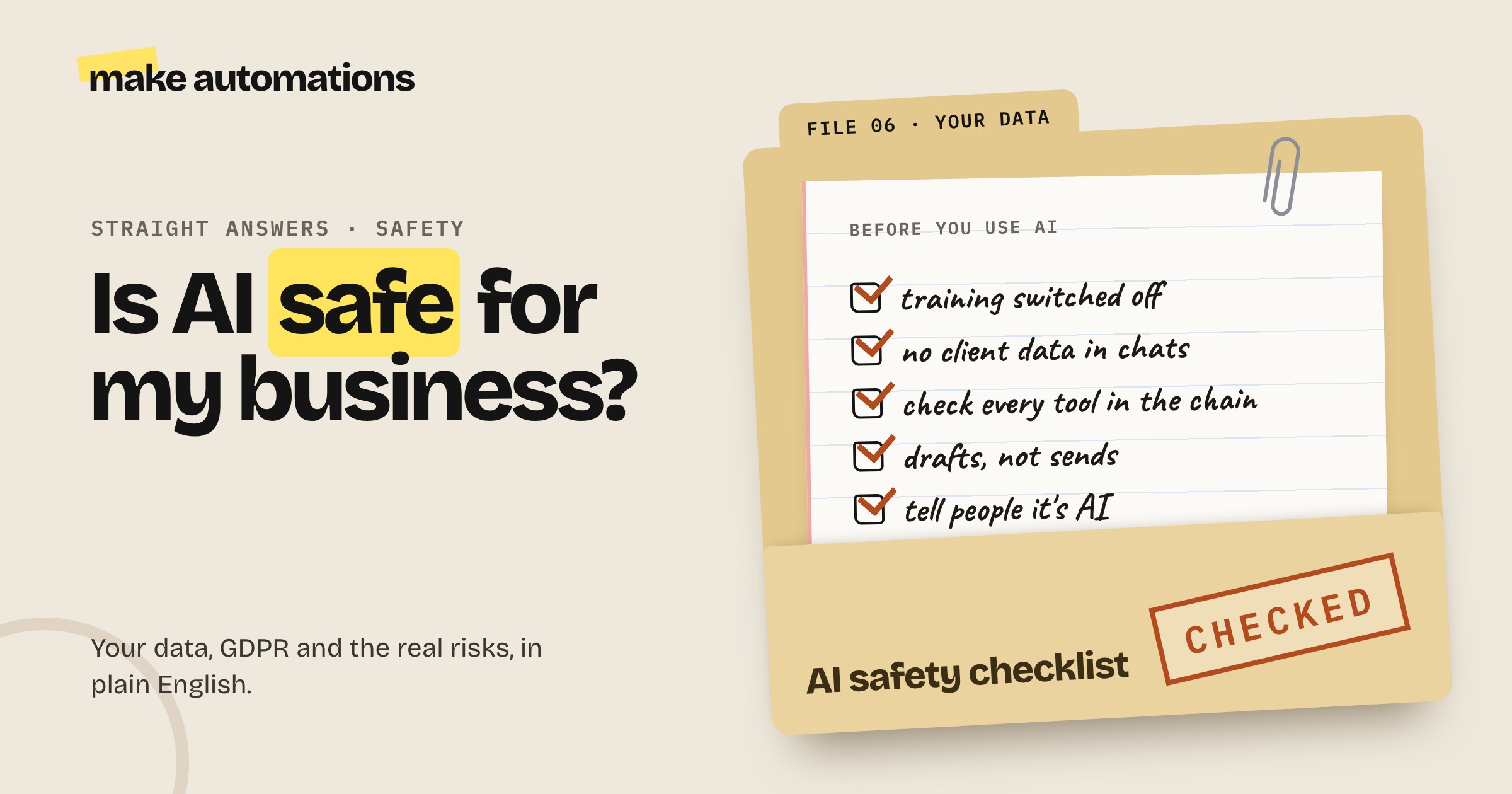
Don't let worry stop you, but don't be careless either. Switch off training, keep customer data out of personal chat accounts, check every tool in your automations, keep a human in the loop for anything customer facing and be honest about where you use AI.
Get those right and you've dealt with the vast majority of the risk.
Questions people also ask
Is it safe to put customer data into ChatGPT?
Not on a personal account with default settings. Consumer chats can be used to train the model unless you switch that off. Keep confidential customer data out of personal accounts, and use a business plan or an automation through the API if you need AI to work with it.
Is using AI GDPR compliant?
It can be. GDPR applies to AI tools just like any other software. Only use the personal data you need, check the provider's data processing terms, update your privacy notice and keep a human involved in decisions that significantly affect people. This isn't legal advice, so check the ICO's guidance for your situation.
Are AI automations safe?
Generally yes. Automations use the API, which the big AI providers don't use for training. The key is checking every tool your data passes through, because one weak link undoes the rest.
Should I have an AI policy for my staff?
Yes. A one-page policy covering which tools are allowed, what never to paste in, what to always check and when to tell customers they're dealing with AI prevents the most common mistakes.
What happens if an automation breaks?
Platforms like Make email you when something fails, and you can build in error handling to retry or alert you. Keeping customer-facing output in drafts means a broken step leads to a missing draft, not a wrong email to a customer.
What are the biggest risks of using AI in a small business?
Putting confidential data into the wrong tools, AI getting facts wrong in customer-facing work, giving agents too much access, hidden instructions hijacking agents and relying on a tool or model that changes overnight.
Do I need to tell customers I'm using AI?
If AI is talking to them directly, like a chatbot or voice agent, yes, straight away, with a way to reach a person. Being upfront about AI images and AI-generated content builds trust too.