AI Receptionists for Small Businesses: Are They Worth It? (UK Guide)
What an AI receptionist can do, what it costs in the UK and how to set one up so callers don't hate it
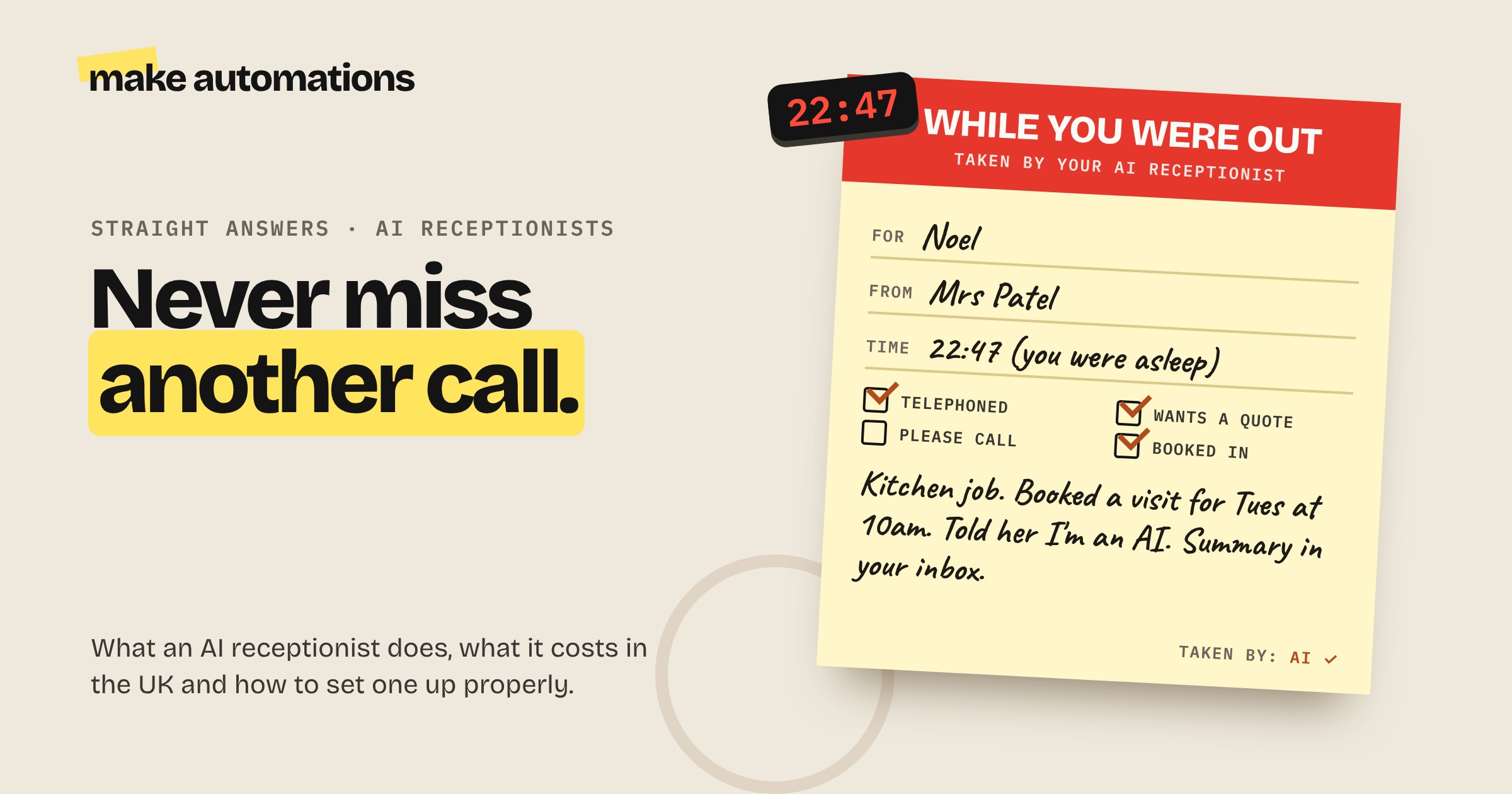
If you run a small business, you've probably missed a call because you were up a ladder, with a client or driving. And a lot of the time, that caller doesn't leave a message. They just ring the next business on the list.
That's the problem an AI receptionist solves. And it's not as futuristic as it sounds. We've been talking to voice assistants like Siri and Alexa for years. An AI receptionist is the same idea, pointed at your business phone line.
I've tested and built voice agents, so here's an honest look at what they can do, what they cost and how to set one up properly.
What does an AI receptionist actually do?
An AI receptionist answers your phone when you can't, and talks to callers in natural language. A good one can:
- Answer every call, day or night, including when you're already on another call
- Answer common questions like your opening hours, prices, services and where you cover
- Take a message and send it to you as a short summary by email, text or Slack
- Book appointments straight into your calendar
- Qualify enquiries by asking the questions you'd ask, like what the job is and when they need it done
- Transfer the call to you or a colleague when it needs a human
Afterwards, you get a summary of every call, so you can see at a glance who rang, what they wanted and what's already been sorted.
What it shouldn't do
This is the bit to get right. An AI receptionist is brilliant for routine calls. It shouldn't be left to handle:
- Complaints. An upset customer wants to speak to a person.
- Emergencies or anything urgent and sensitive.
- Money conversations, like disputes, refunds or payment problems.
- Closing a big sale. It can book the call. You should take it.
The fix is simple: build in trigger words and situations that send the caller straight to a human. You always need that escalation route.
How much does an AI receptionist cost in the UK?
There are two routes.
Ready-made services. Sign up, connect your number, fill in your business details and you're live. Guides this year put entry-level services at around £30 to £100 a month, with more advanced features at £100 to £500 a month. Phone providers and dedicated AI receptionist companies both offer them.
Build your own. Use a voice agent platform and connect it to your calendar, CRM and email with an automation tool like Make. My pick for voice agents is Retell AI. Not sponsored, but it's brilliant and really straightforward. Platforms like this charge per minute, from around 7 to 8 US cents a minute for the voice itself, with the AI model and phone line on top. You'll also need a phone number, which is a small monthly cost. If you pay someone to build a custom one, expect a setup fee of anywhere from a few hundred to a few thousand pounds.
Compare that with a human receptionist. A full-time receptionist in the UK typically costs £24,000 to £35,000 or more a year once you add National Insurance, pension and holiday. That doesn't mean AI replaces a good receptionist. But for a small business that can't justify one, it means calls get answered instead of missed.
Ready-made or build your own?
Go ready-made if you mainly want calls answered, messages taken and appointments booked, and your setup is fairly standard. It's quicker and you don't need to build anything.
Build your own if you want it connected properly to your systems: checking job availability, creating records in your CRM, researching the caller, drafting a follow-up email. That's where a voice agent plus an automation platform really comes into its own.
How to set one up so callers don't hate it
Most bad experiences with AI phone systems come down to how they've been set up. Here are my rules.
1. Say it's AI straight away. The first thing the caller hears should make it clear they're talking to an AI assistant. Of everything I learned digging into the legal side of AI, this was the biggest takeaway. People don't mind talking to AI. They mind being tricked.
2. Always give them a way out. If a caller asks for a person, or the call hits one of your trigger situations, it should transfer them or take an urgent message straight away.
3. Inbound calls only. Use it for people who've called you or filled in a form asking to be called back. Don't use AI to cold call lists of numbers. That's not what it's for.
4. Give it one job. Answering questions, taking messages and booking appointments is plenty. Don't try to make it do everything, or it'll go off down all kinds of strange routes.
5. Feed it the right information. Your services, prices, hours, areas you cover and the answers to the questions you get asked every day. If you don't tell it, it'll guess.
6. Keep follow-ups in drafts. If it drafts a follow-up email or quote after a call, it should land in your drafts for you to check before it's sent.
7. Test it properly. Ring it yourself. Get friends to ring it and be awkward. When I first tested voice agents, they were a bit hit and miss, but mostly that was down to my instructions. Tighten them up until it handles the awkward calls well.
8. Mind the data. Calls usually get recorded and transcribed, so tell callers, check where the recordings are stored and include it in your privacy notice.
Is an AI receptionist right for your business?
It's a great fit if:
- You regularly miss calls because you're on a job, with a client or driving
- You get lots of the same questions over and over
- You take bookings or appointments by phone
- You get calls outside working hours that you'd like to capture
That covers a lot of trades, clinics, salons, repair businesses and service businesses.
It's probably not worth it if:
- You get a handful of calls a week and can return them easily
- Almost every call is complex or sensitive
- Your customers expect to talk to you personally every time
Is there a free AI receptionist?
Some services offer free trials or limited free plans, which are a good way to hear what it sounds like before you commit. For anything you'd rely on for your business, expect to pay. A simpler first step is voicemail that turns messages into text and emails them to you, which many phone systems already offer.
My advice
Work out how many calls you miss in a typical week, and what one of those calls is worth if it turns into a job. For most small businesses, a couple of extra jobs a month covers an AI receptionist many times over.
Then try one. Ring it yourself, be awkward and make sure it says it's AI and hands over to you when it should.
Questions people also ask
What is an AI receptionist?
An AI receptionist is software that answers your business phone calls using natural language. It can answer common questions, take messages, book appointments and transfer calls to a person, 24 hours a day.
How much does an AI receptionist cost in the UK?
Ready-made services typically cost around £30 to £100 a month for the basics and £100 to £500 a month for advanced features. Building your own on a voice agent platform is charged per minute, plus a phone number and any setup costs.
Is an AI receptionist worth it for a small business?
Usually yes if you miss calls while you're working. A full-time human receptionist costs £24,000 or more a year, so even one or two extra jobs a month from calls you'd otherwise miss can cover the cost.
Do I have to tell callers they're speaking to AI?
You should, straight away. Being upfront builds trust, and callers should always have a way to reach a real person. If calls are recorded or transcribed, tell callers and include it in your privacy notice.
Can an AI receptionist book appointments?
Yes. Most can check your calendar and book appointments during the call, then send confirmations. Custom setups can also create records in your CRM and draft follow-up emails.
What's the best AI receptionist for a small business?
It depends on what you need. Ready-made services suit businesses that mainly want calls answered and appointments booked. If you want it connected to your CRM and other systems, a voice agent platform like Retell AI plus an automation tool like Make gives you more control.
Is there a free AI receptionist?
Some services offer free trials or limited free plans, which are good for testing. For something your business relies on, expect to pay a monthly fee or per-minute costs.