Claude Team Plan Explained: Pricing, Limits and Is It Worth It?
What the Team plan costs, what you actually get over Pro and when it's worth switching for a small business
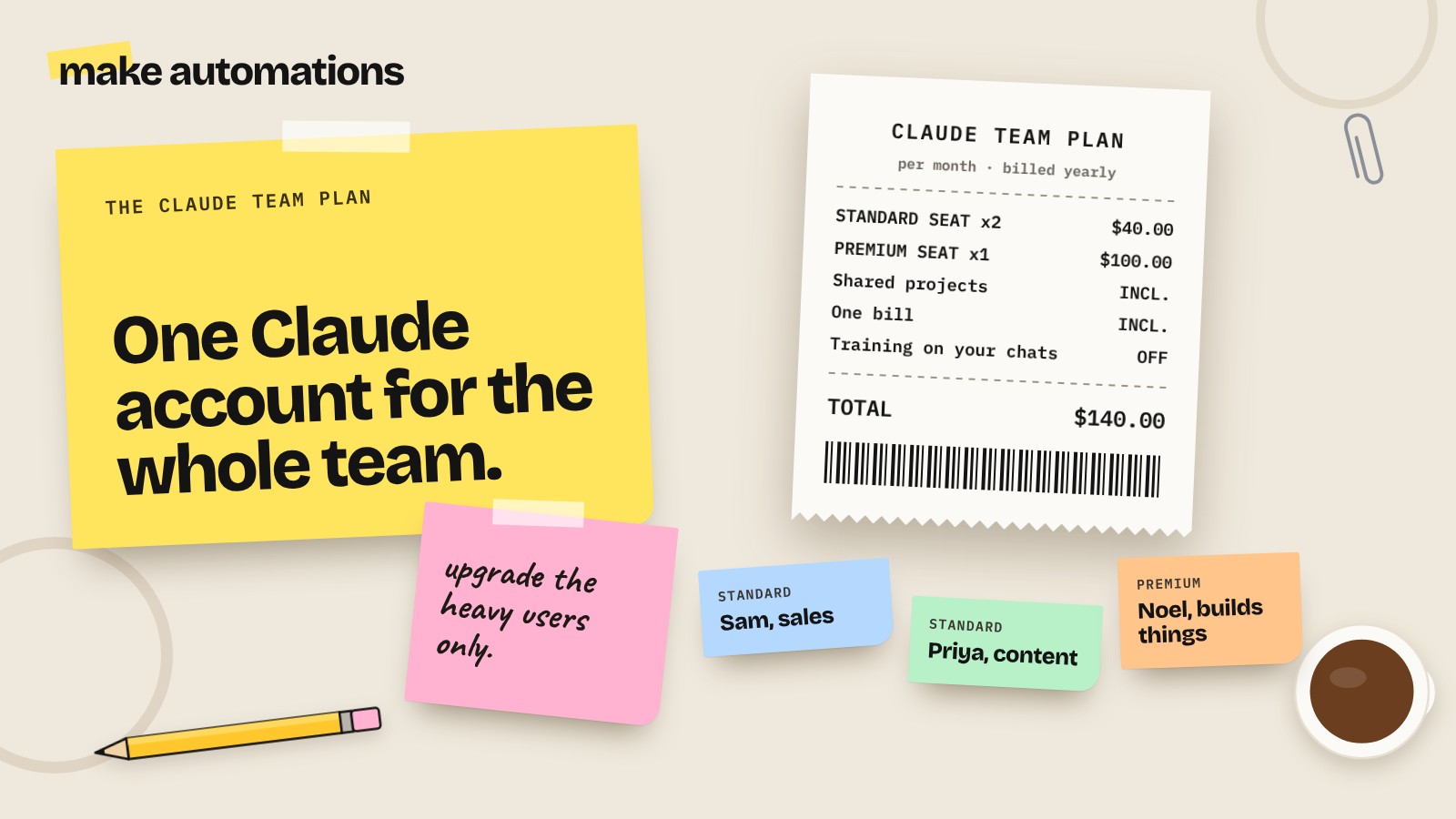
Once one person in a business gets properly into Claude, it doesn't stay with one person for long. Someone else wants in. Then you've got two or three Pro accounts on different cards, nobody can see each other's projects and you're copying the same instructions into everyone's setup.
That's the point where the Team plan starts to make sense. So here's what it costs, what you get and whether it's worth it for a small business.
How much is the Claude Team plan?
There are two types of seat, and you can mix them:
| Seat | Monthly billing | Yearly billing | Usage |
|---|---|---|---|
| Standard | $25 per person | $20 per person a month | A bit more than Pro |
| Premium | $125 per person | $100 per person a month | About 5x a standard seat |
As of October 2026. Prices are in US dollars on Anthropic's site, and you may see local currency and VAT added at checkout. Check the Claude pricing page before you buy.
You need at least two people, and it goes up to 150 seats. Past that, you're into Enterprise territory, which most small businesses will never need.
Team vs Pro: what's actually different?
On the surface it's the same Claude. The differences are in how it works across your business.
- Shared projects. Build a project once with your price list, services and tone of voice, and share it with the team. Everyone gets the same context instead of everyone doing their own version.
- One bill. Central billing instead of a mix of personal cards and expense claims.
- Admin controls. You can add and remove people, choose who gets which seat and control which connectors people can use.
- No training on your content by default. On Team, your chats aren't used to train the models unless you choose otherwise. On personal plans it's a setting you need to check yourself.
- Single sign-on. If you use Google Workspace or Microsoft 365 for logins, people can sign in the same way.
- A bit more usage. A standard seat gets a little more than a Pro account.
- Claude Code included. Standard seats include Claude Code, so if anyone on your team builds things, it's covered.
What about usage limits?
This is the bit people ask about most. Limits are per person, not shared across the team. So one heavy user won't eat everyone else's allowance.
Like Pro, usage runs in rolling sessions with weekly limits on top. A standard seat gets about 1.25 times what a Pro account does. A premium seat gets about 6.25 times Pro.
The honest version: if you're using Claude lightly for emails and documents, you'll rarely notice the limits. If you're in it all day building, researching or working with big files, you'll hit them. Nobody enjoys being in AI jail for a few hours when you've got a deadline. That's what premium seats are for.
My tip: don't put everyone on premium. Start everyone on standard, see who keeps hitting the limits, then upgrade just those people. You can mix and match. Upgrades take effect straight away, but downgrades only kick in at your renewal date, so it's cheaper to go up than to come back down.
Is the Team plan worth it for a small business?
Let's put some numbers on it for two people:
- Two Pro accounts: $40 a month (monthly) or $34 a month (yearly)
- Team, two standard seats: $50 a month (monthly) or $40 a month (yearly)
So it's a few dollars more a month. What you're paying for is shared projects, one bill, admin control, a bit more usage and your content out of training by default.
It's worth it if:
- Two or more of you use Claude for work every week
- You want everyone working from the same business info, tone and templates
- You handle client information and want the extra peace of mind on training
- You're sick of sorting out who's paying for what
Stick with Pro if:
- It's just you
- Someone else only uses it now and again
- You're still working out whether Claude fits your business at all
If you're not sure yet, start with one Pro account and learn it properly first. Our guide to Claude for small business covers how to set it up so it actually knows your business.
How to set up a Team plan properly
Buying the seats is the easy bit. Getting the team using it the same way is where most businesses fall down. Here's what I'd do:
- Set the organisation up first. Add your business details and decide who's an admin.
- Build your core shared projects. Start with two or three: maybe sales, content and client work. Put your price list, services, tone of voice and a few examples of your best work in each.
- Write the project instructions once. This is how everyone's Claude sounds like your business, not like a robot.
- Decide on connectors. Which tools can Claude reach? Google Drive and email are the usual starting points. Keep anything sensitive locked down.
- Agree a few ground rules. What client info is OK to use, what always gets checked by a human before it goes out and what never goes in at all.
- Turn repeat jobs into skills. If three people write quotes, build one skill for quotes so they all come out the same.
Most of the value is in steps 2 and 3. A team with good shared projects gets consistent work out of Claude. A team without them just has five people doing five different things.
Common mistakes with the Team plan
- Buying premium for everyone. Most people don't need it. Upgrade the heavy users only.
- Skipping shared projects. Without them, you've paid more for the same chaos.
- No ground rules. Someone will paste something into Claude they shouldn't. Agree what's OK up front.
- Letting it send things for you. Anything going to a client should get a human check first. Drafts, not auto-sends.
- Not checking who's using it. If someone hasn't logged in for a month, that seat could go to someone else.
Where to start
If two or more of you are already paying for Claude, move to Team. If it's just you, stick with Pro for now and set it up properly first.
Either way, the plan is the easy bit. The setup is what makes the difference.
Questions people also ask
How much does the Claude Team plan cost?
Standard seats are $25 per person a month, or $20 a month each if you pay yearly. Premium seats are $125 a month, or $100 a month yearly. You may see local currency and VAT at checkout.
What's the minimum number of users for the Claude Team plan?
The Team plan needs at least two people and goes up to 150 seats. Bigger organisations move to Enterprise.
What's the difference between Claude Team and Pro?
Team adds shared projects, central billing, admin controls, single sign-on, slightly more usage per person and no model training on your content by default. Pro is a personal plan for one person.
What are the Claude Team plan usage limits?
Limits are per person, not shared. A standard seat gets about 1.25 times the usage of a Pro account and a premium seat about 6.25 times, with rolling sessions and weekly limits.
What's the difference between standard and premium seats?
Premium seats have the same features as standard but around five times the usage. You can mix both types and upgrade only the people who keep hitting their limits.
Does the Claude Team plan include Claude Code?
Yes. Standard seats include Claude Code, and premium seats add more usage on top.
Is the Claude Team plan worth it for a small business?
Yes, if two or more people use Claude for work and you want shared projects, one bill and admin control. If it's just you, or someone only uses it occasionally, Pro is usually enough.
Does Anthropic train on Team plan data?
Not by default. On the Team plan your content isn't used to train models unless you choose otherwise.