What Is Claude Code? A Plain-English Guide for People Who Don't Code
Why the name puts people off, what it actually does, and what a small business can build with it
I talk to a lot of business owners who use Claude every day. Ask them if they've tried Claude Code and the answer is nearly always the same: "No, I'm not a coder."
I get it. The word "code" is right there in the name. It sounds like something for developers, with black screens and green text. But that's the wrong way to look at it.
What is Claude Code?
The easiest way to explain it: in normal Claude, you ask for something and it gives you an answer in the chat. If it writes you a document or a bit of code, you copy it out and do something with it yourself.
Claude Code skips the copy and paste. You point it at a folder on your computer and it works in there directly. It creates the files, edits them, runs them and checks whether they worked. If something breaks, it reads the error and has another go.
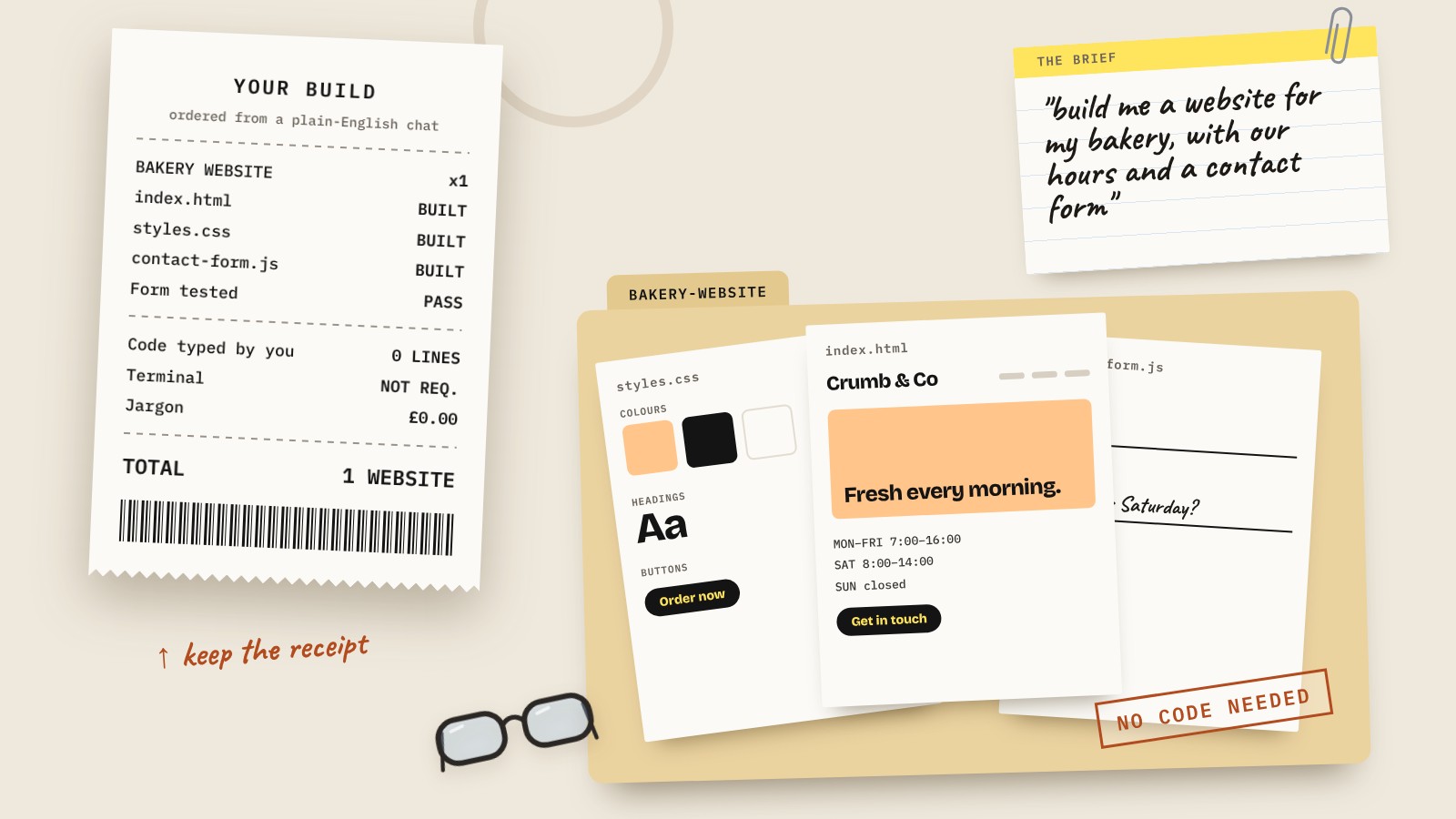
You still talk to it the same way. "Build me a one-page website for my bakery with our opening hours and a contact form." It goes off, makes a plan, writes the files and tells you what it did.
So it's not a different product you have to learn. It's the same Claude, it just does fancier stuff with code.
Why "code" in the name puts people off
It was built for software developers first, and the name stuck. It started life in the terminal, the black window developers type commands into, and that's still how a lot of tech people use it.
But you don't have to go anywhere near the terminal now. Claude Code is in the Claude desktop app as a Code tab, and you can use it in your web browser at claude.ai/code. You sign in with your normal Claude account, pick a folder and start typing. It looks and feels like any other Claude chat.
The bit that matters isn't whether you can read code. It's whether you can explain clearly what you want. If you can brief a freelancer, you can brief Claude Code.
What can a non-coder actually build with it?
Plenty. The sweet spot is small tools that save you time, built for you and your team. A few examples:
- A simple website. A landing page, a one-page site for a side business or an event page. We've just recorded a podcast episode building a website with it, and I'll do a full post on that next.
- Calculators and quote tools. Put in the job details, get a price. The sort of thing that currently lives in a spreadsheet only one person understands.
- Internal dashboards. Turn a messy export from your booking system or till into something you can actually read.
- File jobs. Rename 300 photos, convert a folder of documents, pull the totals out of a pile of invoices.
- Prototypes. A rough version of an app idea you can show people before you spend money on a developer.
I use it most days to build internal apps. I'm not a developer, but I've got a systems engineering background, and that helps far more than knowing a programming language. Which brings me to the most important bit.
Write down what you want before you start
The biggest mistake I see is opening Claude Code and typing "make me an app". You'll get something, but it probably won't be what you had in your head.
What I always do:
- Start in a normal Claude chat. Explain your idea and ask it to challenge you. Who's it for? What does it need to do? What doesn't it need?
- Get it to write a short requirements document. What the tool does, step by step, what goes in and what comes out.
- Hand that document to Claude Code and ask it to build against it, one chunk at a time.
- Test each bit as you go. Don't build the whole thing and test at the end. That's how you lose an afternoon unpicking it.
That's why my builds tend to work first time. Not because I can code, but because Claude knows exactly what it's building.
The honest bits
It's really clever, but it isn't magic. A few things to know before you start on a big project:
- You need a paid Claude plan. Claude Code isn't on the free tier.
- Usage limits are real. Building things uses a lot more of your allowance than chatting. On the cheaper plans you can hit the limit mid-build and be locked out for a few hours.
- Internal tools are easy. Customer-facing apps aren't. A calculator only you use can be done in an hour. Anything customers log into, pay through or trust with their data needs proper planning, testing and someone checking the security. Don't believe the ads promising a full app in a day.
- Keep it in a folder of its own. Give Claude Code a dedicated folder for each project, not your whole computer. It only needs access to what it's working on.
- Check what it changed. It tells you what it did. Read it. If it's done something you didn't ask for, tell it to put it back.
Is it worth trying?
If you already pay for Claude, yes. Pick one small, annoying job, like a quote calculator or a tidy-up of a messy folder, and give it a go. The first time it builds something that works, the word "code" stops being scary.
And if you'd rather have someone walk you through it, that's exactly what our Claude training sessions are for.
Questions people also ask
What is Claude Code?
Claude Code is a version of Claude that can work directly on files on your computer. Instead of giving you an answer to copy and paste, it creates, edits and runs files in a folder you choose. You talk to it in plain English, the same as normal Claude.
Do I need to know how to code to use Claude Code?
No. Claude Code writes the code for you. What matters more is explaining clearly what you want. Writing a short requirements document first makes a big difference.
Do I have to use the terminal?
No. Claude Code is available as a Code tab in the Claude desktop app and in your web browser at claude.ai/code, so you can use it without touching the terminal.
Is Claude Code free?
No. You need a paid Claude plan to use it. Building things uses more of your usage allowance than normal chatting, so check your plan's limits.
What can a small business build with Claude Code?
Simple websites, quote calculators, internal dashboards, tools that sort or rename files, and prototypes of app ideas. Internal tools are quick to build. Customer-facing apps need much more planning and testing.
What's the difference between Claude and Claude Code?
Normal Claude answers in the chat. Claude Code works in a folder on your computer, so it can build and run things itself instead of handing you text to copy out.
Is Claude Code safe to use?
Give it its own folder for each project rather than access to your whole computer, read what it tells you it changed, and get anything customer-facing checked before it goes live.