AI Customer Service for Small Businesses: Chatbots, Email and What to Keep Human
How to use AI to answer customers faster, which jobs to hand it and where a real person still matters most
I'm one of the technical admins in a large online community. There's a huge amount of useful stuff in there: nearly 13,000 posts, well over 100 videos and thousands of tips from members. The problem was finding anything. People would message the admins saying, "I saw a video a few months ago that did something with a particular app, can't remember where it was."
So we built a chatbot. It searches all of that content and points people to the right post or video. It went through a lot of testing, because you don't want it telling people the wrong thing. Once it was live, questions to the admins dropped right off. It freed up about 10 hours of support a week, and only a couple of percent of questions were ones it couldn't answer. Even the admins started asking it.
That's what AI customer service looks like when it's done well. Here's how to do it in your business.
What AI customer service actually means
Forget the idea of a robot replacing your whole support team. For a small business, it's usually a handful of practical things:
- A website chatbot that answers common questions from your own content, any time of day
- AI-drafted email replies, so answers to routine questions are written for you to check and send
- Sorting incoming messages, so every email or enquiry goes to the right person straight away
- Review replies, drafted for every review, good and bad
- An AI receptionist for phone calls (we've covered that in our AI receptionist guide)
Where AI helps, and where it doesn't
AI is great for:
- Answering the same questions you get every day
- Responding instantly, including at 3am
- Pointing people to the right page, product or document
- Taking details so a person can pick it up later
- Drafting replies so you're editing, not writing from scratch
Keep these human:
- Complaints. AI can sort a complaint and hand you the full context. It shouldn't be the one replying.
- Anything sensitive or upsetting. People want a person.
- Refunds, disputes and money problems.
- Your best customers. Some relationships are worth the personal touch every time.
One of my firm views is that support should come from a human. A ticket number and a reply that may or may not be from a bot isn't support. Use AI to get people answers faster and to free up your time for the conversations that matter.
Website chatbots: how to do them properly
Chatbots used to be expensive and complicated. They're not any more. The first time I added an AI chat window to a website, I didn't even realise you could. I'd been using it for testing, and then a video popped up showing it could go on a website. It was a toggle switch and a bit of code to copy and paste. I had it live in about 10 minutes.
The hard part isn't adding a chatbot. It's making it good. Here's what makes the difference.
Train it on your own content. Give it your FAQs, website pages, service details, prices and policies. It stores them in a knowledge base, which is basically a fancy database that makes it easy to find the right answer. The more good information it has, the better its answers.
Give it one job. Don't try to build one chatbot that does absolutely everything. A support chatbot and a product chatbot should be separate. One job each and they stay accurate.
Keep its answers tight. In the community chatbot, we limited it to the three best results, because there were dozens of videos on some topics and too many options just confuses people.
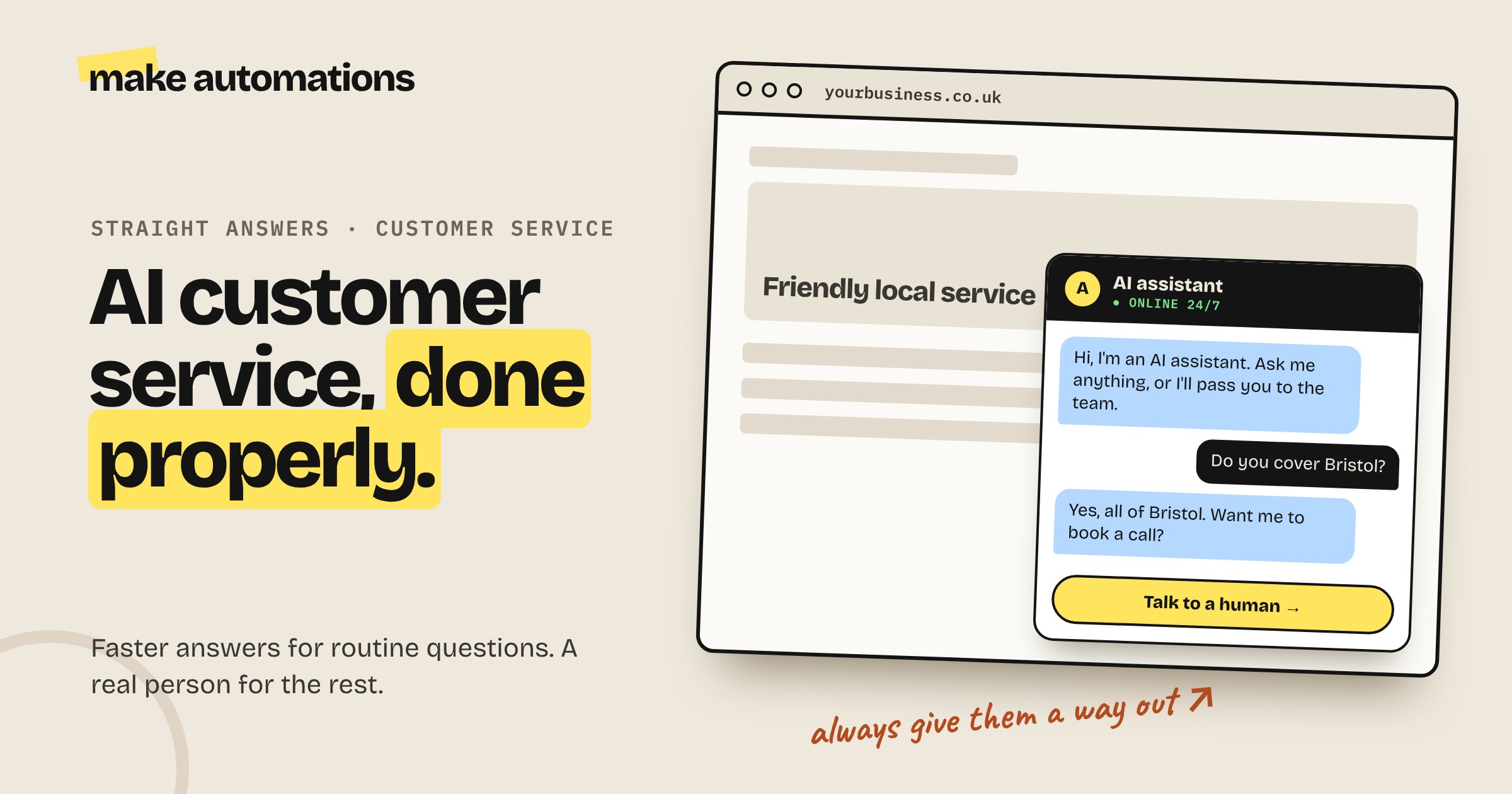
Say it's AI. Make it clear from the first message that it's an AI assistant. You can still give it a personality. Ours has a name and a bit of a character. It just shouldn't pretend to be a person.
Always offer a human. A clear "talk to a person" option that takes their details or books a call.
Test it with awkward questions. Ask it things it shouldn't know. Try to trip it up. If it makes something up, tighten its instructions so it says "I don't know, let me pass you to the team" instead.
How to add an AI chatbot to your website
There are three main routes:
- A ready-made chatbot tool. Point it at your website, upload your documents and paste a snippet of code onto your site. Many have a free plan to get started.
- Your existing tools. Some website builders, help desks and CRMs now include an AI chat feature. Check what you already pay for.
- Build your own with an automation platform like Make or n8n, an AI model and your own knowledge base. More work, but you control exactly what it does and can connect it to your CRM, calendar and inbox.
For most small businesses, start with option one or two. Go custom when you need it connected properly to your systems.
Email support: AI drafts, you send
For a lot of small businesses, email is where most customer service happens. Here's a simple setup:
- A customer emails your support address
- AI reads it and works out what it's about
- If it's a routine question, AI drafts a reply using your knowledge base and puts it in your drafts
- If it's a complaint, a refund or anything sensitive, it's flagged straight to a person with a short summary
- You check the draft and send it
Sorting emails doesn't even need a big expensive AI model. There are small, fast models built just for this kind of decision, like "does this go to sales, support or accounts?" They do it in about half a second for next to nothing.
Don't forget your reviews
Most businesses collect reviews and then do nothing with them. AI can draft a reply to every single review, so they all get a response. It also takes the emotion out of replying to the bad ones. You're not starting from annoyed, you're editing a calm, professional draft.
And keep an eye on the three and four star reviews. Those are the customers who could swing either way.
Mistakes to avoid
- One bot for everything. It'll go off down all kinds of strange routes.
- Pretending to be human. People always find out, and then they don't trust anything you say.
- No way out. Being stuck in a loop with a chatbot is one of the most frustrating experiences there is.
- Letting AI reply to complaints. Triage, yes. Reply, no.
- Not checking what it can't answer. The questions your chatbot gets stuck on tell you exactly what's missing from your website and FAQs.
- Setting it and forgetting it. Read the conversations regularly and keep improving its knowledge.
My advice
Start with the questions you answer most often. Write them down with good answers. That list becomes your chatbot's knowledge base, your email reply templates and probably a useful FAQ page too.
Then add a chatbot or AI-drafted email replies, tell people it's AI, give them a way to reach you and keep the difficult conversations for yourself.
Questions people also ask
How can I use AI for customer service in a small business?
The most common ways are a chatbot on your website that answers questions from your own content, AI that drafts replies to customer emails for you to check, AI that sorts incoming messages to the right person and AI-drafted replies to reviews.
What's the best AI chatbot for a small business website?
The best one is the one trained properly on your own content, with one clear job and an easy way to reach a person. Ready-made chatbot tools are the quickest start. If you need it connected to your CRM or calendar, building one with an automation platform like Make gives you more control.
Is there a free AI chatbot for my website?
Many chatbot tools have free plans that are fine for testing or low volumes. For a busy website, expect to pay a monthly fee as you get more conversations.
Will an AI chatbot replace my customer service team?
It shouldn't. It's best for routine questions and instant first responses, which frees your team up for complaints, sensitive conversations and your most important customers.
Should a chatbot tell customers it's AI?
Yes, from the first message. You can give it a name and personality, but it shouldn't pretend to be a person. Always include a clear way to reach a human.
How do I stop an AI chatbot making things up?
Train it only on your own content, keep its job narrow and tell it to say it doesn't know and pass the customer to a person when it can't find the answer. Test it with awkward questions before it goes live.
Can AI reply to customer complaints?
AI can sort complaints and give you a summary so you can respond quickly, but the reply itself should come from a person. Customers with a problem want to know a human is dealing with it.