Claude vs Copilot: Which AI Is Better for Your Business?
What each one is good at, what they cost in the UK, and why it's not as either-or as it used to be
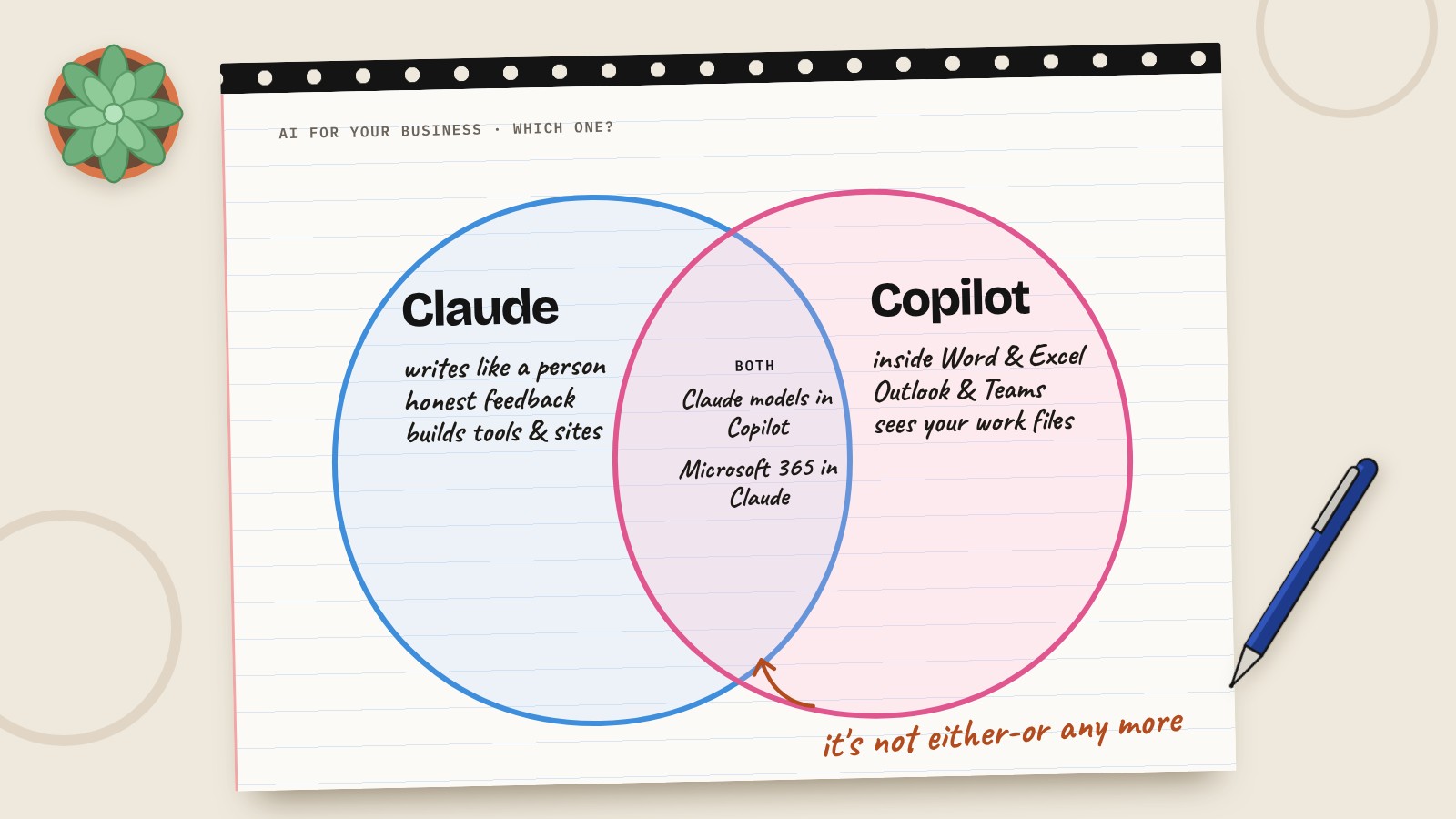
A lot of the businesses I speak to already pay for Microsoft 365. So when they start looking at AI, the question isn't really "which AI is best?". It's "we've already got Copilot sitting there, do we need Claude as well?"
Fair question. Here's how I'd think about it. As always, none of these are sponsoring me, and this is where things stand in October 2026.
The short answer
- Copilot if your team lives in Word, Excel, Outlook and Teams, and you want AI that already knows your files, emails and meetings, with your Microsoft security settings wrapped round it.
- Claude for writing that sounds like a person, thinking things through, honest feedback, and building your own tools, automations and websites.
- Both is a real option now, and more common than you'd think.
What is Copilot?
Copilot is Microsoft's AI, built into Microsoft 365. There are a few versions, which is where people get confused:
- Copilot Chat comes free with eligible Microsoft 365 business plans. It's a chat assistant that can search the web. Good for a first try.
- Microsoft 365 Copilot is the paid add-on. This is the one that works inside Word, Excel, PowerPoint, Outlook and Teams, and can see your work data: emails, files, meetings and chats. It also comes with ready-made agents for research and analysis.
The big selling point is that it's already where your team works. Nobody has to learn a new app, and it respects the permissions you've already set up, so people only see what they're allowed to see.
Out of the box it runs on OpenAI's models. But Microsoft now lets you choose Anthropic's Claude models in some places too, including Word, Excel, PowerPoint and its Researcher agent. Your admin may need to switch that on first.
What is Claude?
Claude is Anthropic's AI, and it's my daily driver for business work. Three reasons:
It sounds like a person. Emails, proposals, blog posts. Less editing, fewer of those AI giveaways people spot a mile off.
It follows instructions. Tell it how you want something done and it does it. That's why I use it inside my automations.
It's less of a yes man. Ask it about an idea and it tells you where the holes are, which is what you actually want from a business partner.
Then there's everything around the chat: projects that hold your business information, skills that remember how you like things done, and Claude Code for building websites and internal tools without writing code yourself.
Claude vs Copilot: side by side
| Claude | Microsoft 365 Copilot | |
|---|---|---|
| Best at | Writing, honest feedback, building tools | Working inside Office apps with your company data |
| Where you use it | Claude app, browser, desktop, plus add-ins for Excel, Word, PowerPoint and Outlook | Inside Word, Excel, PowerPoint, Outlook, Teams |
| Sees your work files and email | Yes, with the Microsoft 365 connector (admin sets it up) | Yes, built in |
| Models | Claude | OpenAI by default, Claude available in some apps |
| Building tools and websites | Yes, with Claude Code | Agents through Copilot Studio |
| Free option | Claude free plan (limited) | Copilot Chat, with eligible Microsoft 365 plans |
| Best for | Owners and small teams who want the strongest AI for thinking and writing | Teams already all-in on Microsoft 365 |
Claude vs Copilot pricing
Prices taken from each company's pricing page in October 2026. Microsoft lists UK prices in pounds excluding VAT. Anthropic lists in US dollars excluding tax, and charges UK customers in pounds.
| Plan | Claude | Microsoft 365 Copilot |
|---|---|---|
| Free | Claude free plan | Copilot Chat, with eligible Microsoft 365 business plans |
| Main paid option | Pro, $20 a month ($17 billed yearly) | Copilot Business add-on, £16.10 per user a month billed yearly (£19.32 monthly) |
| Teams | Team, $25 per user a month ($20 billed yearly) | Bundled: Business Standard with Copilot from £18.10 per user, Business Premium with Copilot from £24.60 per user, billed yearly |
Watch the small print on Copilot. The add-on needs an eligible Microsoft 365 business plan underneath it, so it's an extra cost on top of what you already pay. Microsoft is running a first-year offer at £13.80 per user a month until 31 December 2026, on a yearly commitment.
Prices change often. Check each provider's pricing page before you sign up.
It's not either-or any more
This is the bit most comparisons miss.
Claude inside Copilot. If you're on Microsoft 365 Copilot, you can choose Claude models in some apps. So if you like how Claude writes, you might get some of that without a separate subscription.
Microsoft 365 inside Claude. Claude has a Microsoft 365 connector that lets it search your Outlook email and calendar, OneDrive, SharePoint and Teams, limited to what you can already see. An admin has to set it up once. There are also Claude add-ins for Excel, Word, PowerPoint and Outlook on the paid plans.
So the real question is where you want to spend your day: in the Office apps with AI built in, or in Claude with your Office data plugged in.
Which one for which job?
- Summarising a long email thread or a Teams meeting: Copilot. It's already there.
- Drafting a proposal or a tricky email that needs to sound like you: Claude.
- Pulling together info from across your company's files: Copilot, or Claude with the Microsoft 365 connector.
- Getting honest feedback on a business idea: Claude.
- Building a quote calculator, internal tool or simple website: Claude, with Claude Code.
- Rolling AI out to a whole team with central admin and security: Copilot is the easier sell to IT.
So which should you pick?
Pick Copilot if your business already runs on Microsoft 365, most of your work happens in Outlook, Word, Excel and Teams, and you want AI the whole team can use without learning anything new.
Pick Claude if you're the owner or a small team doing a lot of writing, planning and problem solving, or you want to build your own tools and automations.
Use both if your team needs AI inside Office day to day, but you want the strongest AI for the thinking work. That's a perfectly sensible setup.
Whatever you choose, my usual advice stands: pick your main one and learn it properly. You'll get far more from one tool you know well than two you half know.
Keep your business data safe
- Use business accounts, not personal ones, for anything involving client or company data.
- Check permissions before you switch on any AI that can see your files. If someone can see a folder they shouldn't, AI will happily find it for them. Tidy your sharing settings first.
- Keep a human checking anything that goes to a customer.
Questions people also ask
Is Claude better than Copilot?
For writing, honest feedback and building your own tools, Claude is stronger. For AI built into Word, Excel, Outlook and Teams that already sees your company data, Copilot is the easier fit. Many businesses use both.
Can I use Claude inside Microsoft Copilot?
In some places, yes. Microsoft now lets you choose Anthropic's Claude models in apps including Word, Excel and PowerPoint, and in its Researcher agent. Your admin may need to enable it first.
Can Claude connect to Microsoft 365?
Yes. Claude's Microsoft 365 connector can search Outlook email and calendar, OneDrive, SharePoint and Teams, limited to what you can already access. An admin needs to set it up once. There are also Claude add-ins for Excel, Word, PowerPoint and Outlook.
How much does Copilot cost in the UK?
Copilot Chat is free with eligible Microsoft 365 business plans. The Microsoft 365 Copilot Business add-on is £16.10 per user a month billed yearly, or £19.32 billed monthly, excluding VAT. There's a first-year offer at £13.80 until 31 December 2026.
How much does Claude cost?
Claude has a free plan. Claude Pro is $20 a month, or $17 billed yearly. Claude Team is $25 per user a month, or $20 billed yearly. Prices exclude tax, and UK customers are charged in pounds.
Do I need Microsoft 365 to use Copilot?
For the paid Copilot that works inside Word, Excel, Outlook and Teams, yes. The business add-on needs an eligible Microsoft 365 business plan.
Should a small business use Copilot or Claude?
If you already run on Microsoft 365 and want AI inside your Office apps, start with Copilot. If you want the strongest AI for writing, planning and building tools, choose Claude. Both work together if you need them to.