Copilot vs ChatGPT for Business: Which Should You Pay For?
They run on the same family of AI models, so the real difference is where they live, what they can see and what they cost
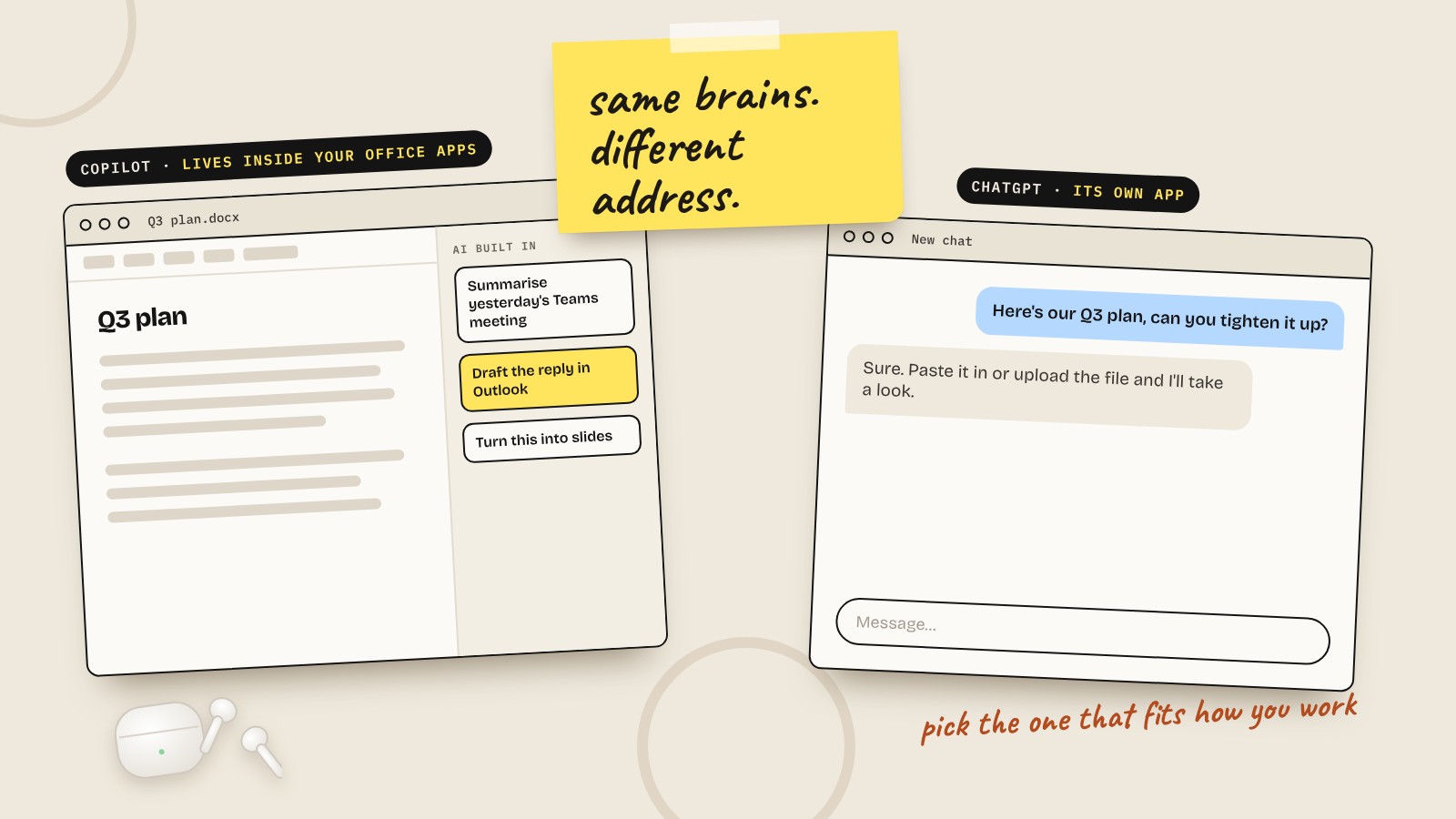
People often treat Copilot and ChatGPT as rivals. In one sense they're cousins. Microsoft 365 Copilot runs on OpenAI's GPT models by default, the same family that powers ChatGPT.
So the question isn't really which one is smarter. It's which one fits how your business already works. Here's how I'd decide. None of these are sponsoring me, and this is where things stand in October 2026.
The short answer
- Copilot if your team lives in Microsoft 365 and you want AI inside the apps you already use, working on your own files and emails.
- ChatGPT if you don't use Microsoft 365, you're a solo business owner, or you want an all-rounder that writes, makes images and handles a bit of everything.
What's the actual difference?
Where it lives. Copilot sits inside Word, Excel, PowerPoint, Outlook and Teams. ChatGPT is its own app. You go to it, rather than it coming to you.
What it can see. Paid Microsoft 365 Copilot can see your work data: emails, files, calendar, meetings and chats, limited to what each person already has access to. ChatGPT only knows what you paste in, upload or connect to it.
What it's best at. Copilot is strongest at work you already do in Office: summarising a Teams meeting, drafting a reply in Outlook, turning a Word document into slides. ChatGPT is the broader all-rounder: brainstorming, writing, images, research and a generous free plan.
Copilot vs ChatGPT: side by side
| Microsoft 365 Copilot | ChatGPT | |
|---|---|---|
| Best at | Working inside Office apps with your company data | All-round assistant, easy to start |
| AI models | OpenAI by default, Claude available in some apps | OpenAI |
| Sees your work email and files | Yes, built in | Only what you upload or connect |
| Free option | Copilot Chat, with eligible Microsoft 365 business plans | ChatGPT free plan |
| Makes images | Yes | Yes |
| Admin and security | Uses your existing Microsoft 365 settings | Separate admin controls on Business plans |
| Best for | Teams already on Microsoft 365 | Solo owners and businesses not on Microsoft |
Copilot vs ChatGPT pricing
Taken from each company's pricing page in October 2026. Microsoft lists UK prices in pounds excluding VAT. OpenAI lists in US dollars and charges UK customers in pounds.
| Plan | Microsoft 365 Copilot | ChatGPT |
|---|---|---|
| Free | Copilot Chat, with eligible Microsoft 365 business plans | Free plan |
| Individual | Microsoft has personal Copilot plans too | Plus, $20 a month |
| Business | Copilot Business add-on, £16.10 per user a month billed yearly (£19.32 monthly) | Business, $25 per user a month ($20 billed yearly) |
| Bundled | Business Standard with Copilot from £18.10 per user, Business Premium with Copilot from £24.60 per user, billed yearly | Not applicable |
The small print. The Copilot Business add-on needs an eligible Microsoft 365 business plan underneath it, so you're paying for that as well. If you already have Microsoft 365, the add-on works out cheaper per user than ChatGPT Business. Microsoft is also running a first-year offer at £13.80 per user a month until 31 December 2026, on a yearly commitment.
If you don't have Microsoft 365, ChatGPT is the cheaper way in, because you're not buying a whole office suite to get it.
Prices change often. Check each provider's pricing page before you sign up.
Which one for which job?
- Summarising Teams meetings: Copilot
- Drafting replies in Outlook: Copilot
- Finding something across your company's files: Copilot
- Turning a Word document into a PowerPoint: Copilot
- Brainstorming and general questions: either, ChatGPT if you're not on Microsoft
- Making images: either
- Trying AI for free before spending anything: ChatGPT's free plan, or Copilot Chat if you already have Microsoft 365
So which should you pay for?
Pay for Copilot if you already have Microsoft 365, your team spends its day in Outlook, Teams and Office, and you want AI rolled out with your existing security and permissions.
Pay for ChatGPT if you're not on Microsoft 365, you're a one-person business, or you mainly want a general assistant for writing and ideas.
Try before you pay either way. If you've got Microsoft 365, start with the free Copilot Chat. If you haven't, start with ChatGPT's free plan. Only pay once you know what you'd actually use it for.
What about Claude?
There's a third option worth knowing about. For writing that sounds like a person, honest feedback and building your own tools, Claude is my pick, and it's what I use every day. It also connects to Microsoft 365 now, and Copilot even lets you choose Claude models in some apps.
I've written a full comparison of Claude vs Copilot if you want the detail.
Before you switch either on
- Tidy your sharing settings. Copilot can see whatever each person can see. If a folder is shared with everyone that shouldn't be, Copilot will happily surface it.
- Use business accounts for anything involving client or company data, not personal ones.
- Keep a human checking anything that goes to a customer.
My advice
Don't pay for both. Pick the one that fits where your business already works, learn it properly, and give it a few weeks before you decide whether it's worth it.
Questions people also ask
Is Copilot the same as ChatGPT?
Not quite. Microsoft 365 Copilot runs on OpenAI's GPT models by default, the same family as ChatGPT, but it's built into Word, Excel, Outlook and Teams and can see your work data. ChatGPT is a separate app.
Is Copilot better than ChatGPT for business?
If your business runs on Microsoft 365, usually yes, because it works inside your Office apps with your company data and security settings. If you don't use Microsoft 365, ChatGPT is simpler and cheaper to get started with.
How much does Copilot cost in the UK?
Copilot Chat is free with eligible Microsoft 365 business plans. The Microsoft 365 Copilot Business add-on is £16.10 per user a month billed yearly, or £19.32 billed monthly, excluding VAT. There's a first-year offer at £13.80 until 31 December 2026.
How much does ChatGPT Business cost?
ChatGPT Business is $25 per user a month, or $20 per user a month billed yearly. UK customers are charged in pounds.
Is Copilot free?
Copilot Chat is free with eligible Microsoft 365 business plans. The version that works inside Word, Excel, Outlook and Teams with your work data is a paid add-on.
Can I use both Copilot and ChatGPT?
You can, but most small businesses don't need both. Pick the one that fits how you already work and learn it properly.
Does Copilot use my company data safely?
Copilot works within your existing Microsoft 365 permissions, so people only see what they already have access to. Check your sharing settings before you switch it on, because anything shared too widely becomes easy to find.