How to Get Your Business Into Google's AI Mode and AI Overviews
What Google actually says, what moved our own numbers, and what's a waste of money
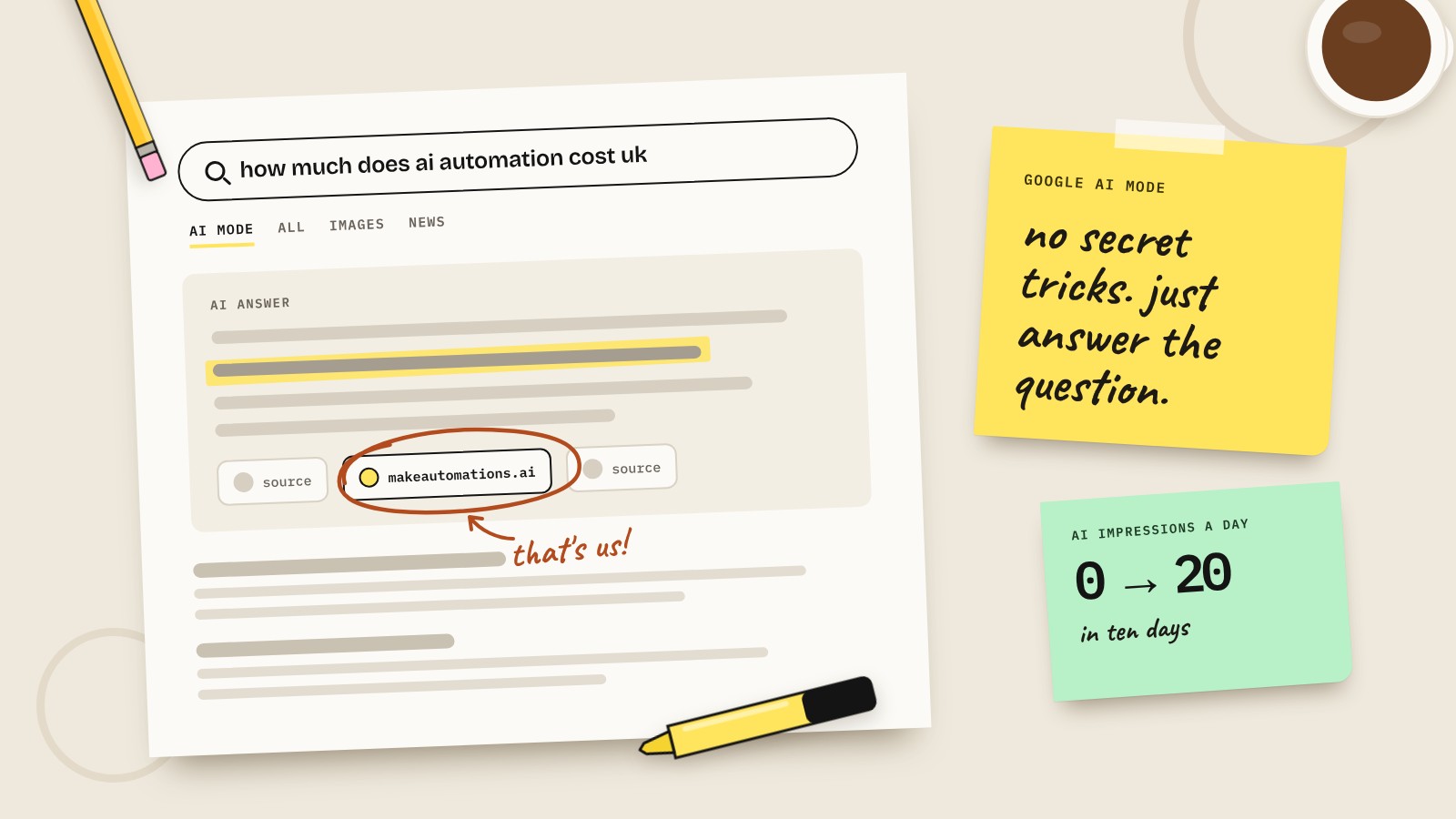
A few weeks ago our site barely showed up in Google's AI answers. Within ten days of publishing our first batch of blog posts, we were showing up around 20 times a day in AI Overviews and AI Mode.
That's not a huge number. But it went from zero to something without paying anyone, and the pages that got picked tell you a lot about how this works. So here's what Google actually says, what we saw in our own data, and what I'd do if I was starting today.
What is Google AI Mode?
There are two AI features in Google search now.
AI Overviews are the AI summaries that appear at the top of normal search results. They only show up when Google thinks they'll add something, so plenty of searches don't get one.
AI Mode is a separate tab that works more like a chat. You ask a full question, it gives you an answer with links to the sites it used, and you can ask follow-ups.
Both work in a similar way. Google takes your question and breaks it into lots of smaller searches behind the scenes. Google calls this "query fan-out". Someone asks "how much does an AI receptionist cost for a small business in the UK?" and Google goes, right, I need UK prices, what's included, the setup costs, how it compares to a human receptionist. It runs all of those, then pulls the best bits together into one answer.
That's why AI Mode often links to more sites than a normal search would. And it's why a small business site can get cited for one part of the answer even if it would never rank number one for the whole question.
What Google actually says
Google has a help page for site owners on this, and it's refreshingly short. The key points:
- There are no extra requirements. If your page is indexed and eligible to show a snippet in normal search, it can be used.
- No special optimisation is needed. Google says you don't need new machine-readable files, AI text files or special markup.
- No special structured data. Normal structured data is fine, as long as it matches what's actually on the page.
- The basics still apply. Google needs to be able to crawl the page, your pages should link to each other, and the important stuff should be in text, not locked in images.
So when someone offers to "optimise you for AI Mode" with a special file or a secret schema, read the small print. Google has said in writing that it isn't needed.
What happened when we tried it
We publish answer-style posts on our blog: one question per post, a short answer at the top, and an FAQ at the bottom. Here's what Search Console showed for the first three weeks.
- Before we published: roughly zero AI impressions a day.
- After: around 20 a day, and 210 in total over the period.
- Normal search: went from about 38 impressions a day to about 190.
The interesting bit is which pages got picked. Our three most-cited posts were:
- How much does AI automation cost (56 AI impressions)
- The Claude Team plan explained (50)
- Is AI safe for business (36)
For those posts, 20 to 30% of all the times they were seen in Google came from AI answers. Our broad posts, like "best AI tools for small business", got 1 to 2%. Same site, same format, very different results.
What made the difference
Looking at the data, three things stood out.
1. Specific questions beat broad topics. "How much does AI automation cost?" has a real answer. "Best AI tools" is a list of opinions that thousands of sites have already written. AI answers need something specific to quote, and the specific pages gave it something.
2. The cited pages were already close to page one. Our most-cited posts were sitting around positions 10 to 14 in normal Google. The broad posts were stuck at 27 to 41 and barely got a look in. AI search and normal SEO aren't a trade-off. They pull in the same direction, so if you're boosting one, it helps the other.
3. The answer was right at the top. Every post opens with a one or two sentence answer in a box. No preamble, no "in this article we'll explore". When Google goes looking for the bit that answers the question, it doesn't have to dig.
What to do this week
You don't need an agency for this. Here's where I'd start:
- Check Google can see your pages. Use the URL Inspection tool in Search Console. If a page isn't indexed, nothing else matters.
- Write down the questions customers actually ask you. On the phone, by email, before they buy. Each good one is a page.
- One question per page. Put the question in the title and answer it in the first two sentences.
- Be specific. Prices, timescales, UK details, real examples. Our UK-specific searches ranked much better than the generic versions.
- Add an FAQ section with the follow-up questions people ask next. That's the fan-out bit, done for Google.
- Link your pages together. If your cost page mentions timescales, link to your timescales page.
- Keep it in text. A price list in an image is invisible to Google. Put it in a table.
What not to waste money on
There's a lot of "AI SEO" being sold right now. Some of it's useful. Some of it's nonsense.
- Special AI files for Google. You might hear about llms.txt. It may help with other AI tools, but for Google's AI features, Google says you don't need it.
- Secret schema. Structured data is fine, but there's no special AI Mode markup.
- Guaranteed AI rankings. Nobody can promise this. If they could, everyone would do it.
- Hundreds of thin pages. Pumping out AI-written posts on every keyword going isn't the same as answering real questions well.
How to see if it's working
Search Console has a Generative AI report. It's still in beta and UK sites got it first. It shows how often your pages appeared in AI Overviews and AI Mode, by page, country and device.
The catch: it only shows impressions, not clicks. Clicks from AI answers get counted in with your normal search traffic, so you can't split them out yet.
And to be honest, clicks are the slow part. Our 2,300 search impressions turned into nine clicks in those first few weeks. People are seeing us before they're visiting us. That's normal for new pages, and it's why the pages close to page one are the ones I'm working on next.
My advice
Don't overthink it. Pick the five questions your customers ask most, write a page for each with the answer at the top, and check Google has indexed them. Then give it a few weeks and look at the Generative AI report.
That's it. No special files, no secret tricks. Just answer the question properly.
Questions people also ask
What is Google AI Mode?
AI Mode is a chat-style tab in Google search. You ask a full question and it gives you an AI-written answer with links to the websites it used, and you can ask follow-up questions.
What's the difference between AI Mode and AI Overviews?
AI Overviews are the AI summaries at the top of normal search results, and they only appear on some searches. AI Mode is a separate tab where the whole experience is a conversation with AI answers and links.
Do I need special markup or an llms.txt file to appear in AI Mode?
No. Google says there are no extra requirements or special optimisations for AI Overviews or AI Mode. If your page is indexed and eligible to show a snippet in normal search, it can be used.
How do I know if my site appears in AI Mode?
Search Console has a Generative AI report, currently in beta, that shows how often your pages appear in AI Overviews and AI Mode. It shows impressions only. Clicks are counted in your normal search performance data.
Does AI Mode hurt normal SEO?
No. In our experience they pull in the same direction. The pages that got cited most in AI answers were the ones already ranking well in normal Google.
How long does it take to show up in AI answers?
For us it was days after publishing, once Google had indexed the pages. Every site is different, and clicks take longer to build than impressions.
Can I stop Google using my content in AI answers?
Yes. Google's normal snippet controls, like nosnippet and max-snippet, limit what can be shown. Blocking AI features this way can also limit how your page appears in normal search.